Improved Task Flows for Avid Kindle eBook Readers
Identifying and redesigning three major UX pain points for avid readers with large ebook libraries — a case study featured in Sidebar and published on Medium's Bootcamp blog.
Udacity Course Project
View Prototype ↗ · Download In-Depth Case Study ↗
Industry Recognized Case Study
★ Featured in the Sidebar newsletter (40,000 readers) on May 5, 2021.
★ Read over 600 times on Medium, published on the Bootcamp blog.
Overview
Avid readers need features to support their large libraries and reading habits. These users want a single library for all of their ebooks (including audiobooks). By providing an easy and exceptional e-reading experience, users will be loyal to Amazon Kindle. However, there are several areas of frustration — particularly with large ebook libraries — that are pushing avid readers to other platforms.
Problem
Users with large libraries containing hundreds to thousands of books need features that help them more easily browse and sort their ebook libraries, so they can better plan reading time and have a better awareness of what is currently in their collection.
Three Major Pain Points
- Browsing — finding books in large, unorganized libraries
- Reading 2+ books in parallel — no native support for switching between active books by mood
- Downloading — no way to auto-download all ebooks for offline reading
Research
Findings
- 5 user interviews
- 21 academic articles reviewed
Avid readers who actively switch between 2–4 books depending on mood have hundreds or thousands of books and get frustrated when they can't find a book or remember why they added it to their library. They want to spend their time reading, not sorting books into folders. Readers also have genre-specific needs and preferences that are not being met.
Personas
Travis the Student Traveler
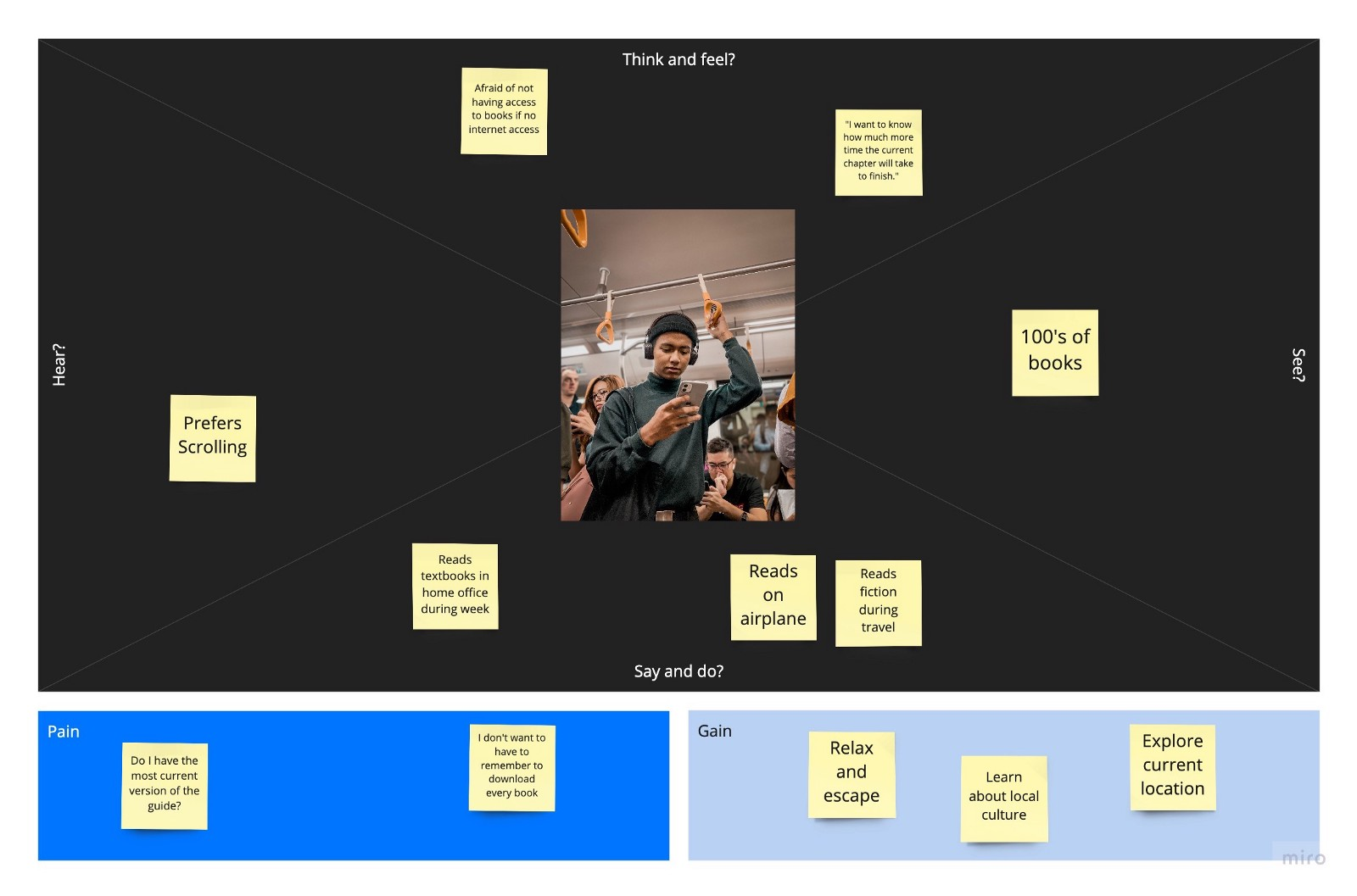
"Fiction is my leisure reading. Nonfiction, I have to be in the headspace for it."
Travis wants to easily switch between his class textbook, science fiction novel, travel guide, and self-improvement book depending on his current activity and the time of the school year. He likes to be surprised when a fictional book ends — so doesn't want to know the page count — but needs powerful annotation, memory, and navigational tools for his textbooks, and wants to know how much time a chapter will take to read.
Natasha the Mystery Sleuth
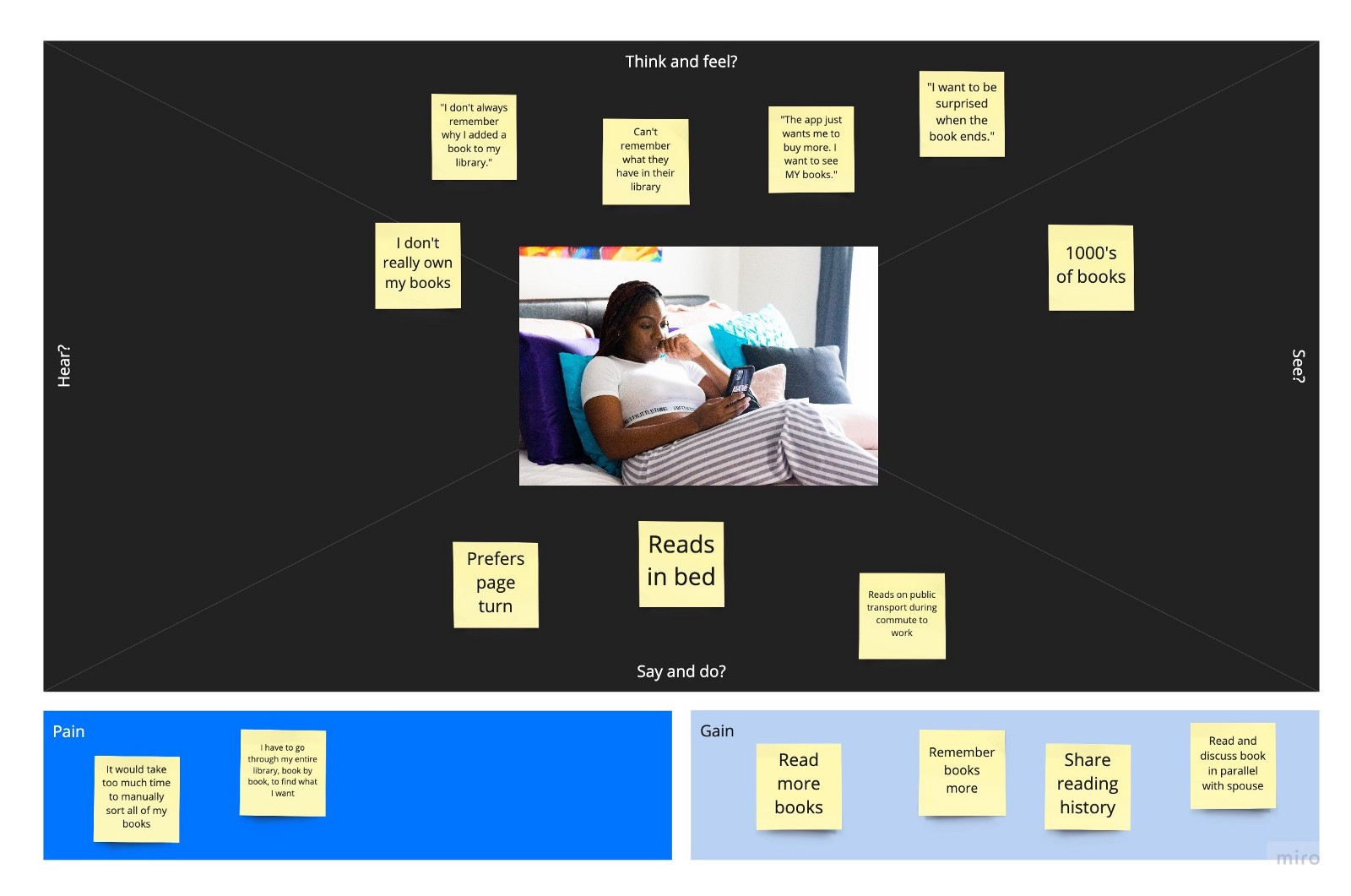
"A lot of the time, as I have so many books, I forget exactly what it might be called. So I have to go line by line to find the book that I want."
Natasha wants to read more of the books in her existing library, keep track of the ones she's read, and discuss books she and her husband are reading together. She also wants to easily switch from a fantasy novel to a historical memoir depending on how tired she is.
Ideation
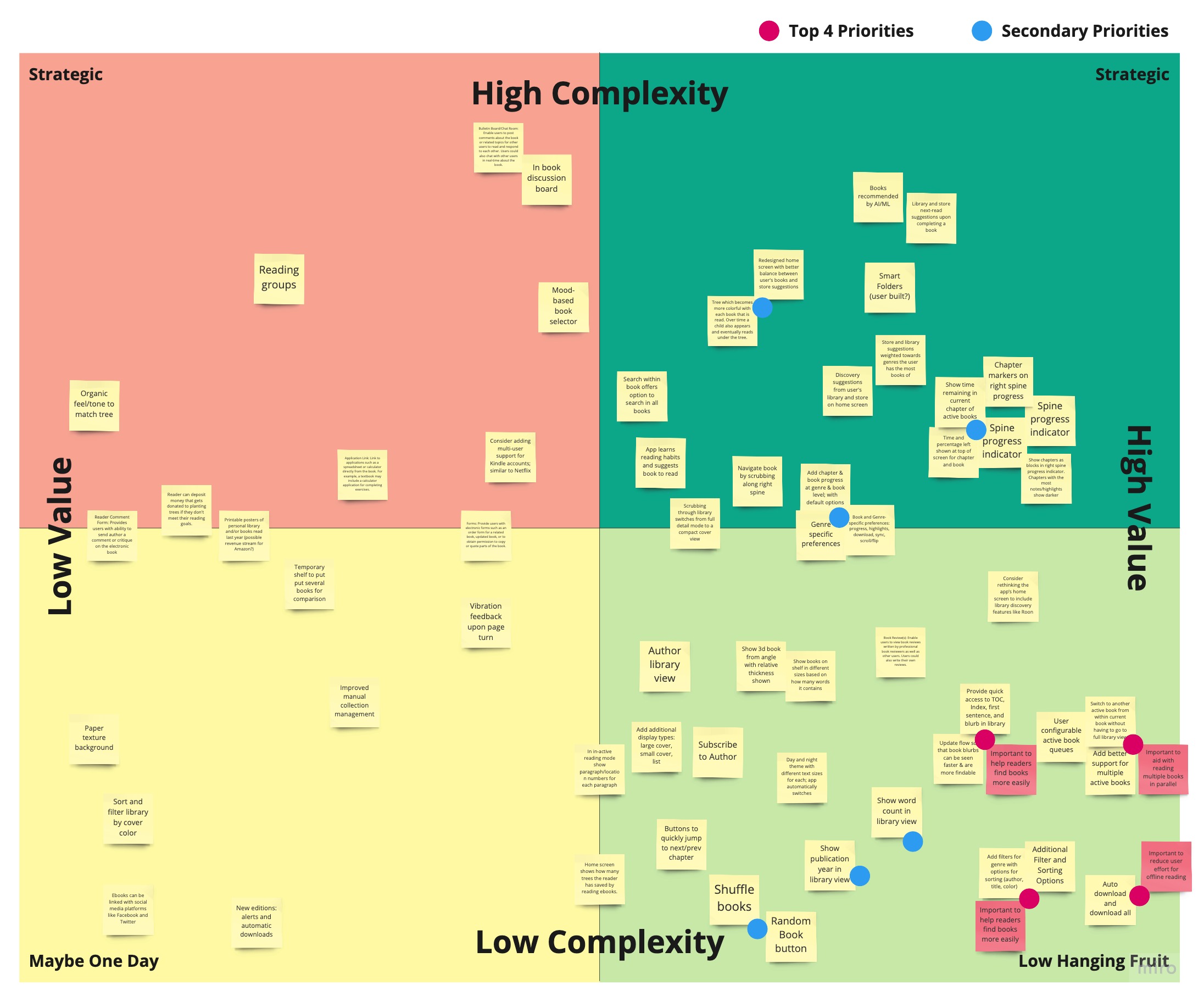
How Might We improve the offline reading experience for avid readers with large quantities of books — within the library and within the book — to address the unique needs of different genres so that users can read more books with better recall?
Vision
Primary Goals for Design Phase
- Add support for readers who switch between several active books depending on mood throughout the day and week.
- Redesign library view to support easier find-ability through sorting, filtering, and additional book metadata.
- Add support for automatically downloading existing and new user content.
Secondary Goals for Design Phase
- Explore a spine-based progress and contents UI to improve memory of book chronology and in-book navigation.
- Add support for controlling book and chapter progress indicators at genre and book levels.
User Stories
- As an avid reader I want to switch between multiple active books so that I can read whichever genre I'm currently in the mood for.
- As a traveling reader I want to automatically download all of my books so that I can read any book when on an airplane without thinking about which to download ahead of time.
- As an avid reader with a large library I want better sorting and filtering options so that I can more easily and quickly find books.
Design
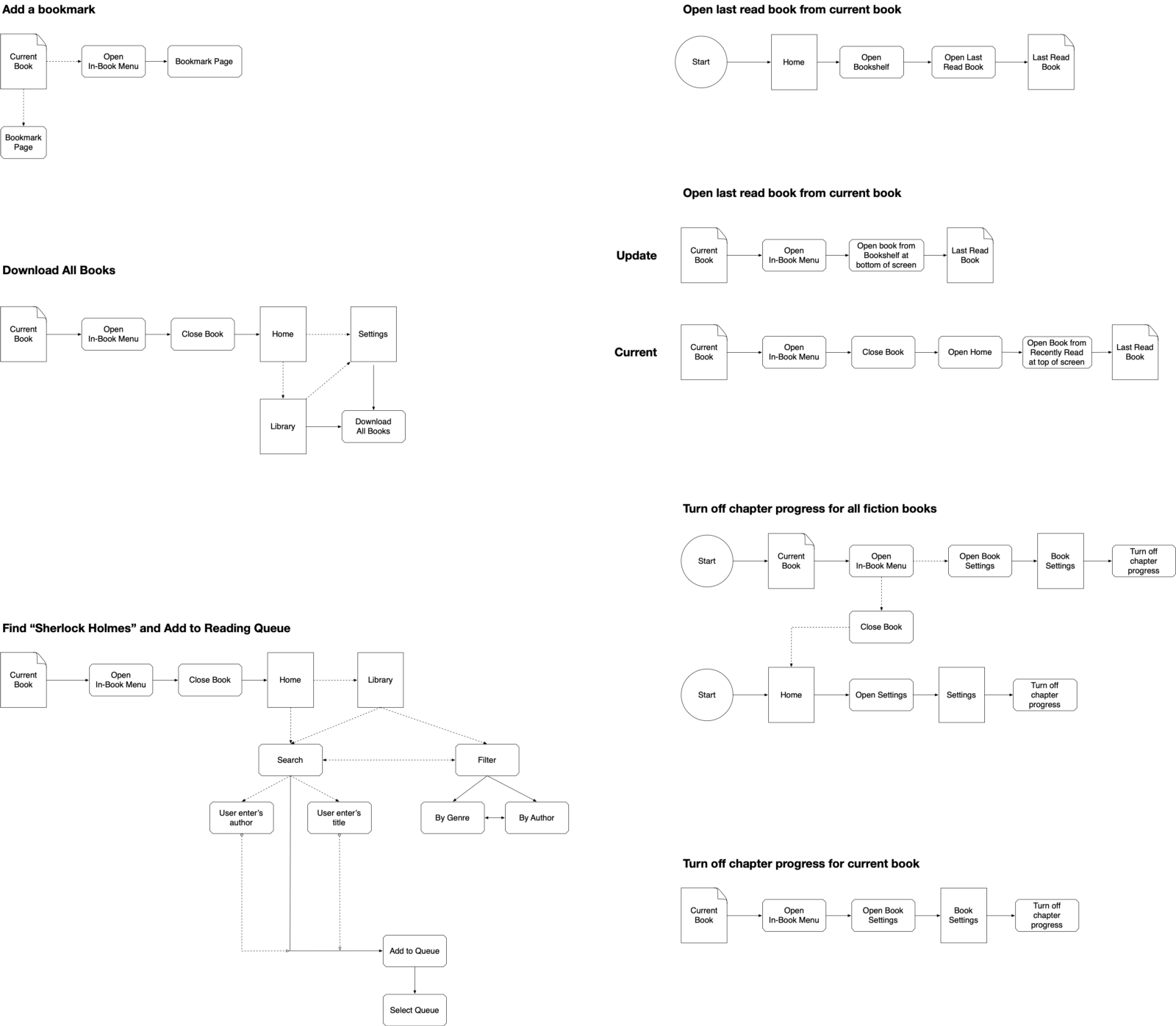
Task Flows
Paper Sketches
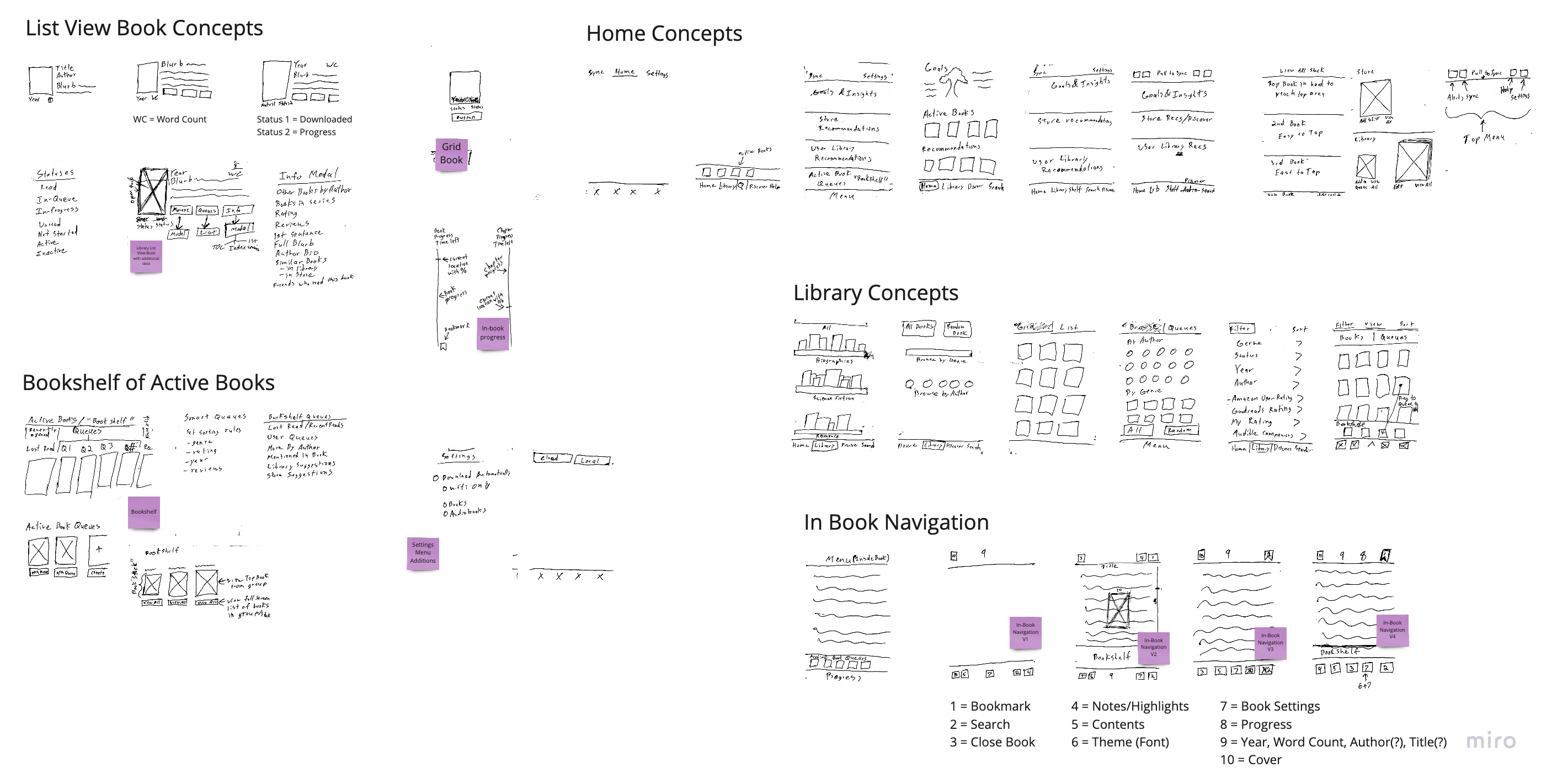
Annotated concepts from the idea generation stage. (View Miro Board ↗ for detailed view.)
Low-Fidelity Wireframes
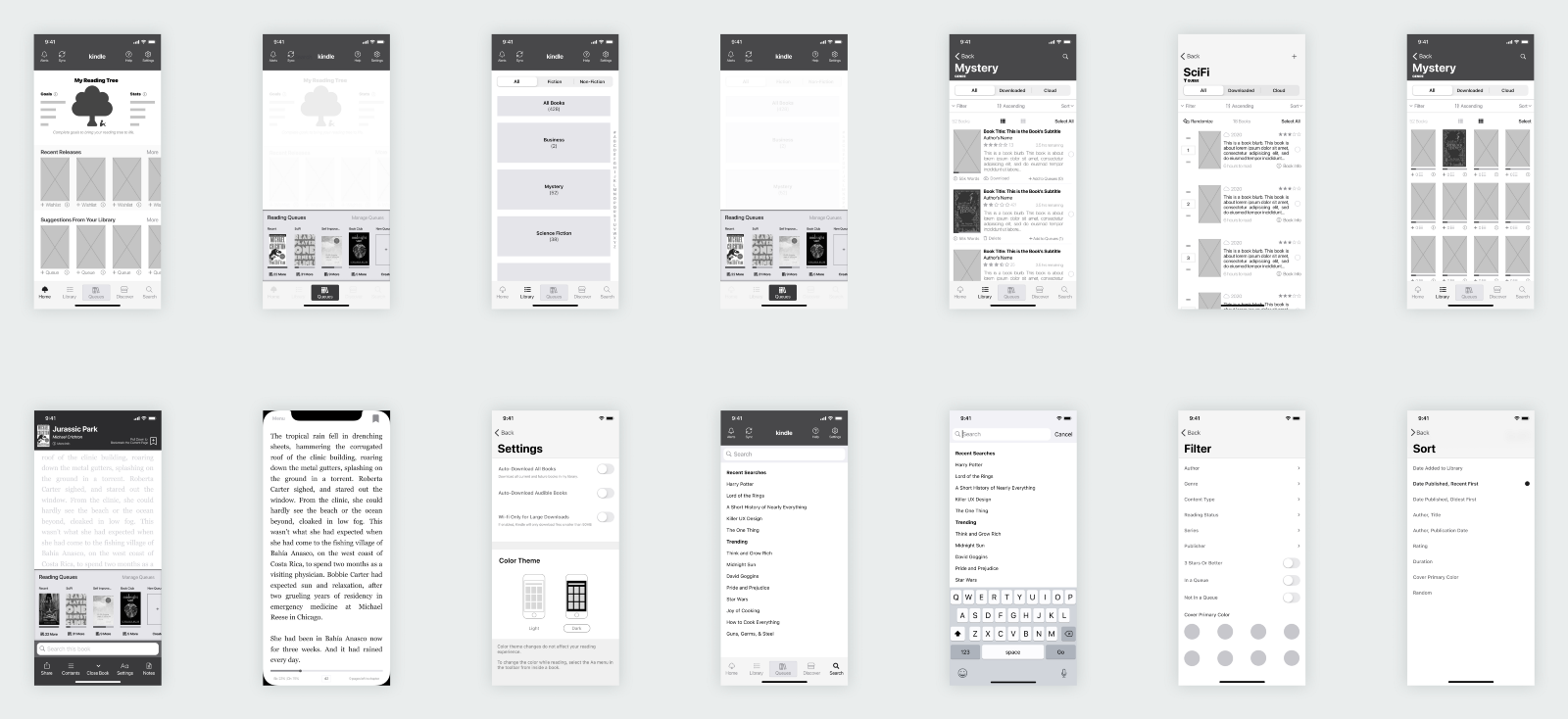
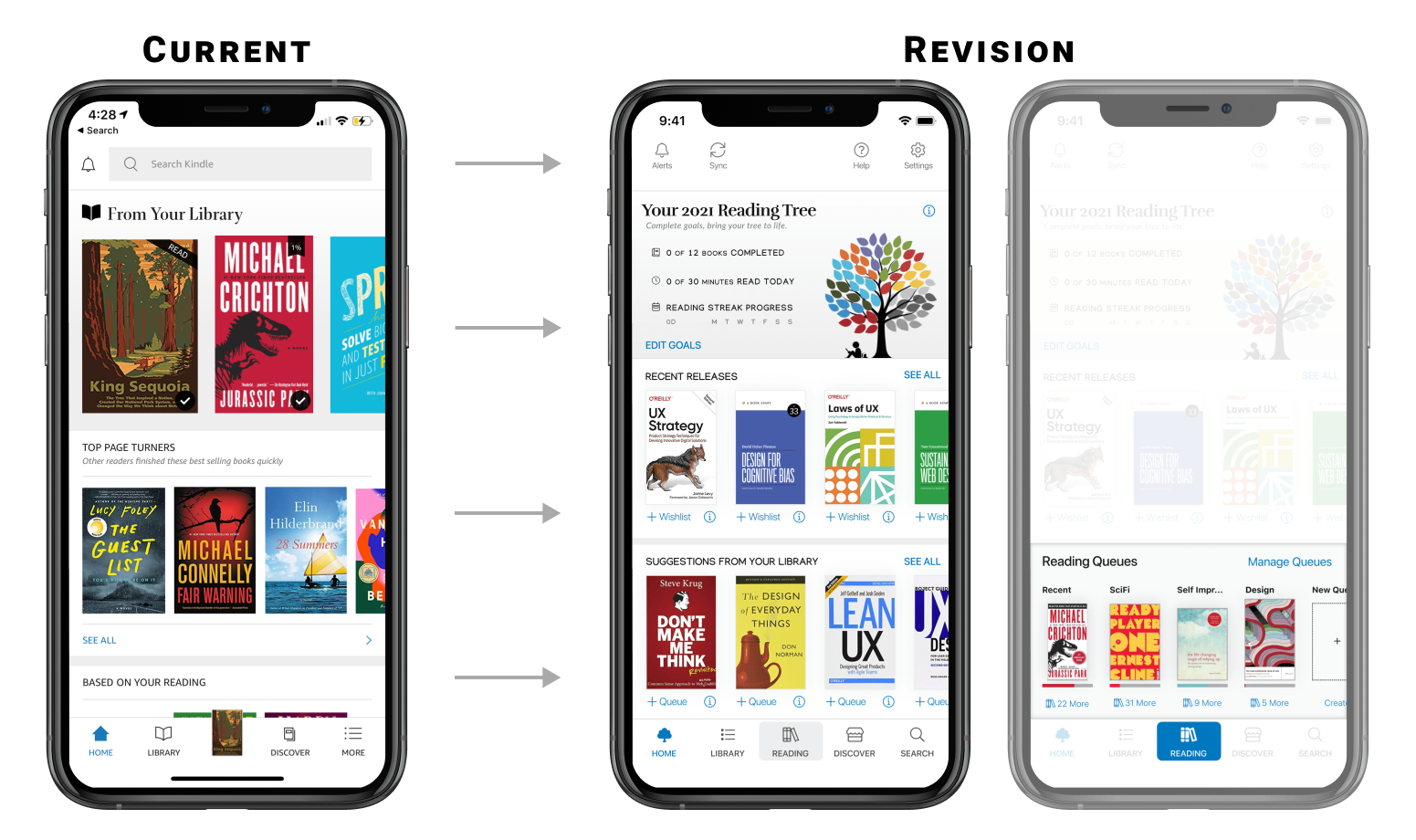
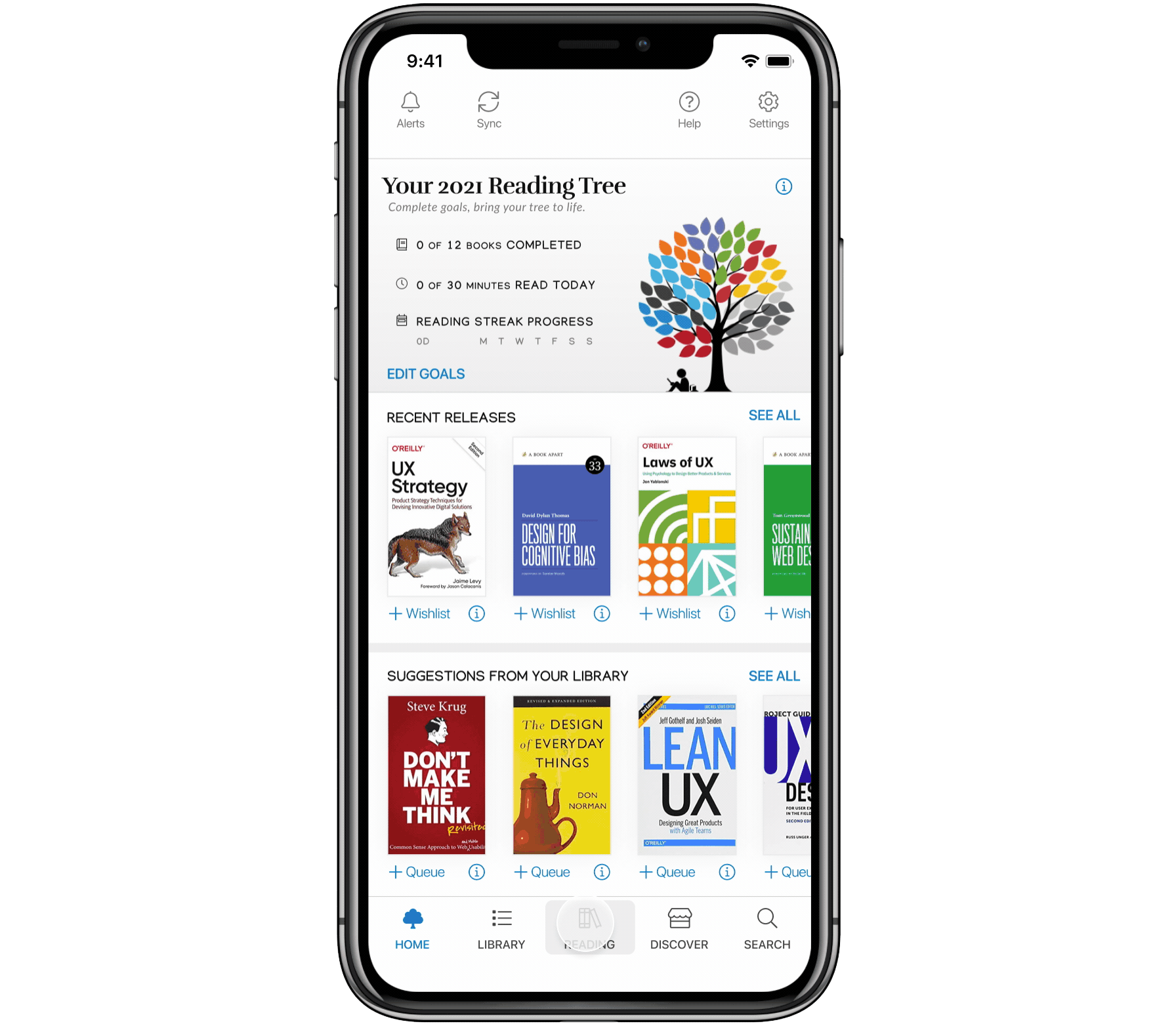
Home is redesigned to put more focus on the user's books and reading goals. Book suggestions and active books — now in the Bookshelf — are placed in the lower, easier-to-tap area. IA is improved to make actions easier to find.
Library is updated with automatic genre categories, additional user filtering and sorting options, and quick actions for each book. It is also easier to quickly switch view modes.
In-Book navigation is updated to include the book cover and quick access to the Bookshelf. Navigation items have been moved to the bottom for easier tapping on modern, tall-screen devices. Additional Book Settings are available for progress.
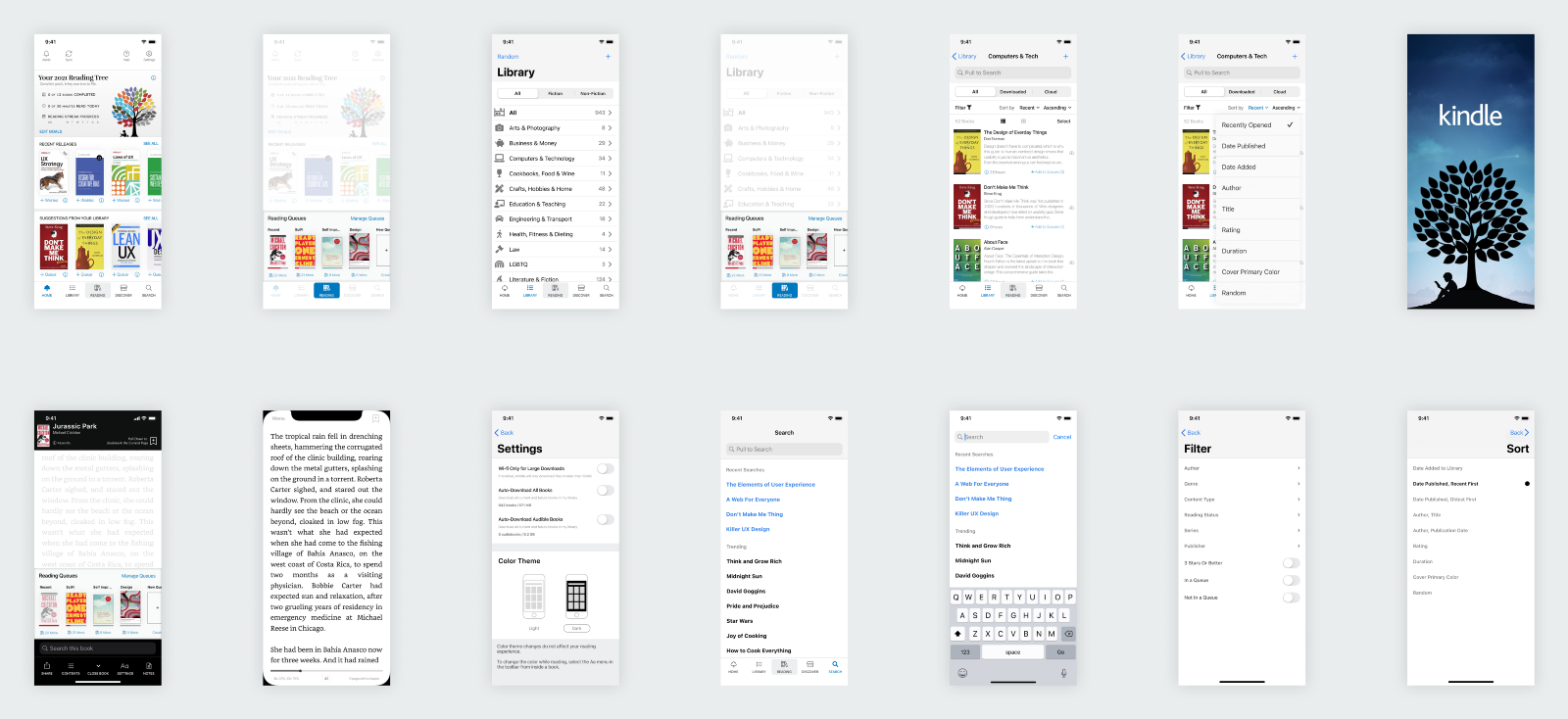
High-Fidelity Wireframes
Testing & Validation
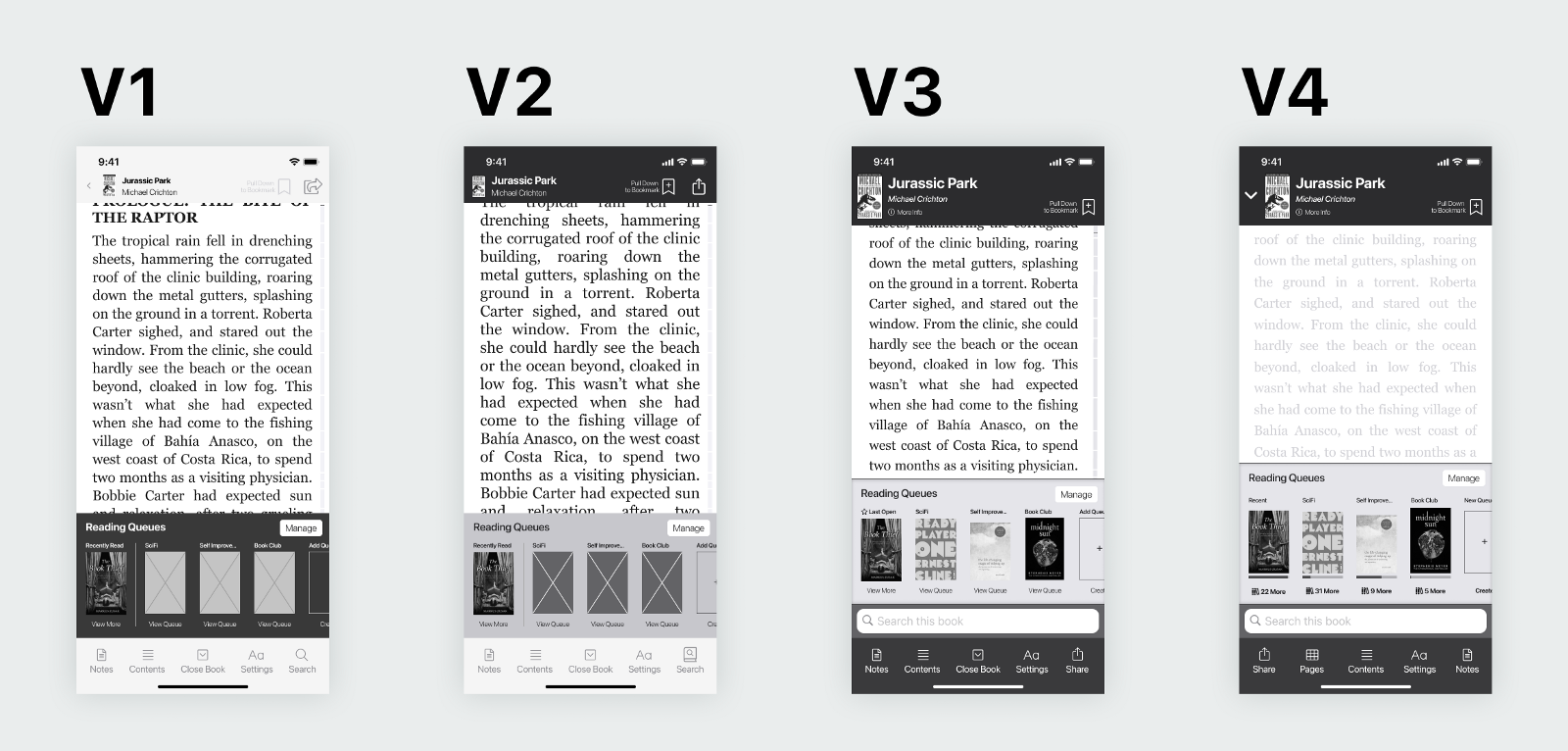
Moderated remote usability tests were conducted with 5 participants on a clickable low-fidelity prototype.
Final Solution
Problem 1: Browsing Large Libraries
Redesigned library view to support easier find-ability by automatically categorizing books, increasing sorting and filtering options, and adding book blurb and time-to-read metadata to book list view.
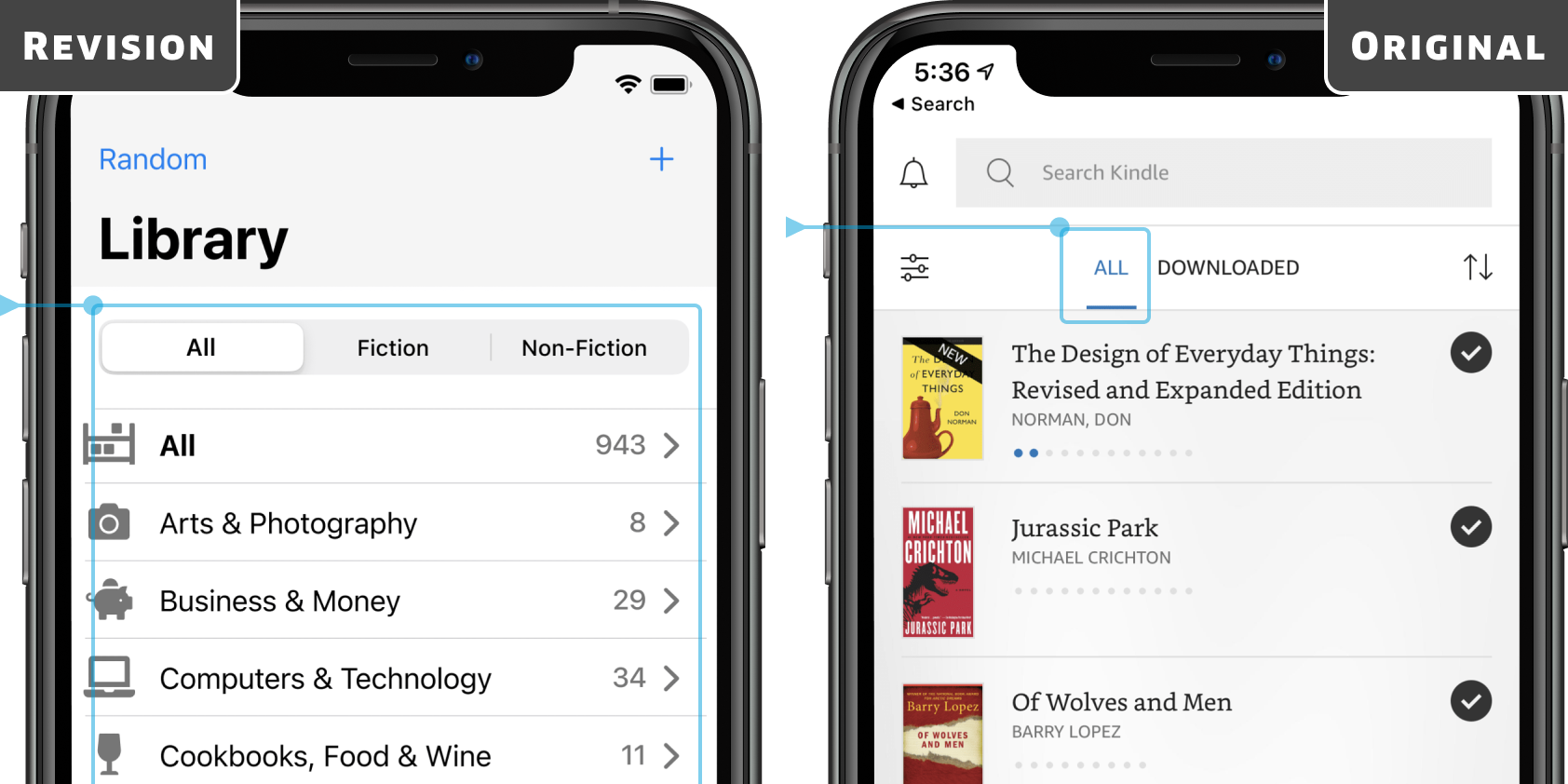
Automatic Organization
Amazon's existing book metadata is used to automatically organize purchases and user content into standardized categories.
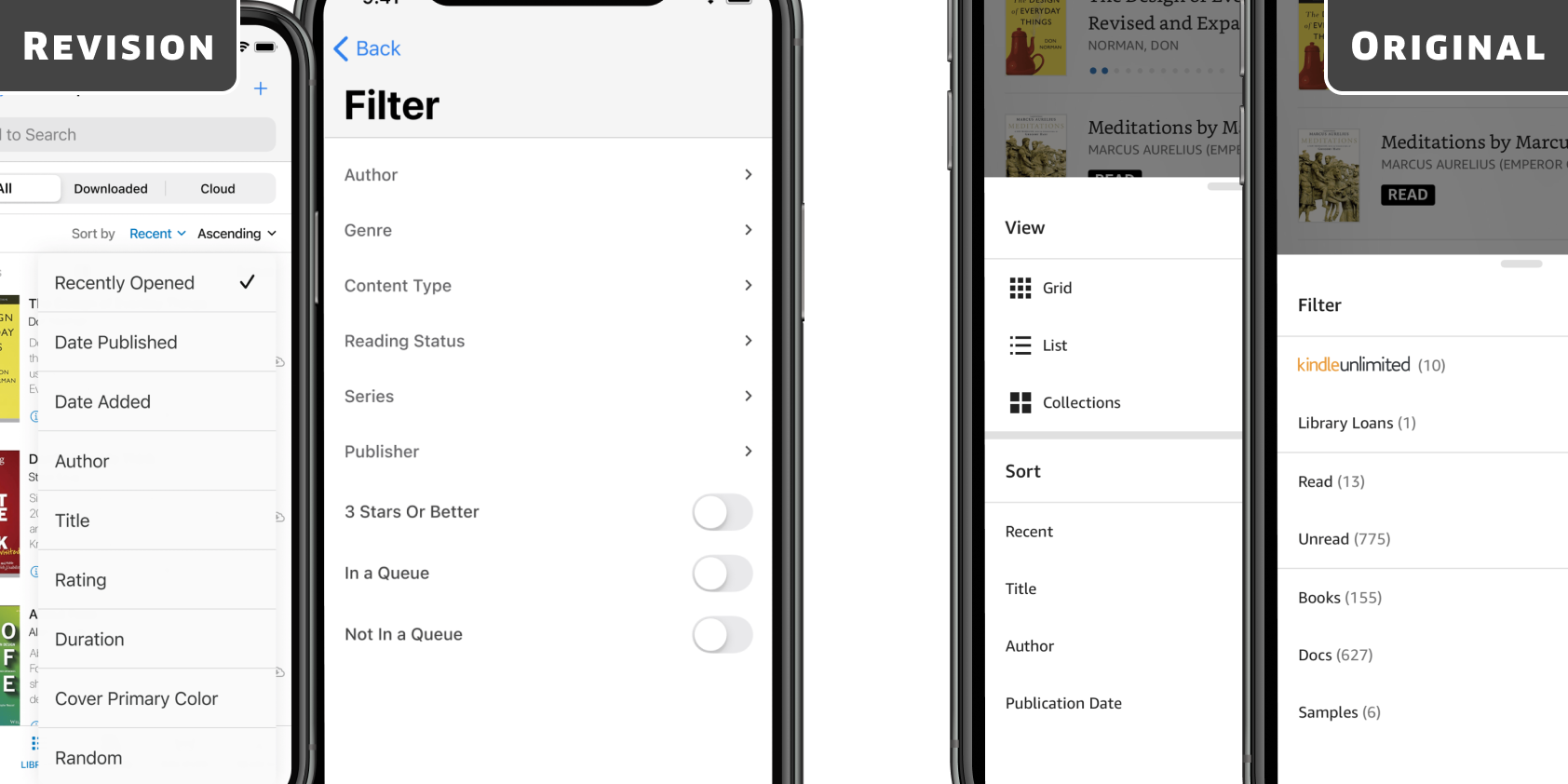
Improved Filtering
Additional filter and sort options have been added — including opening a random book.
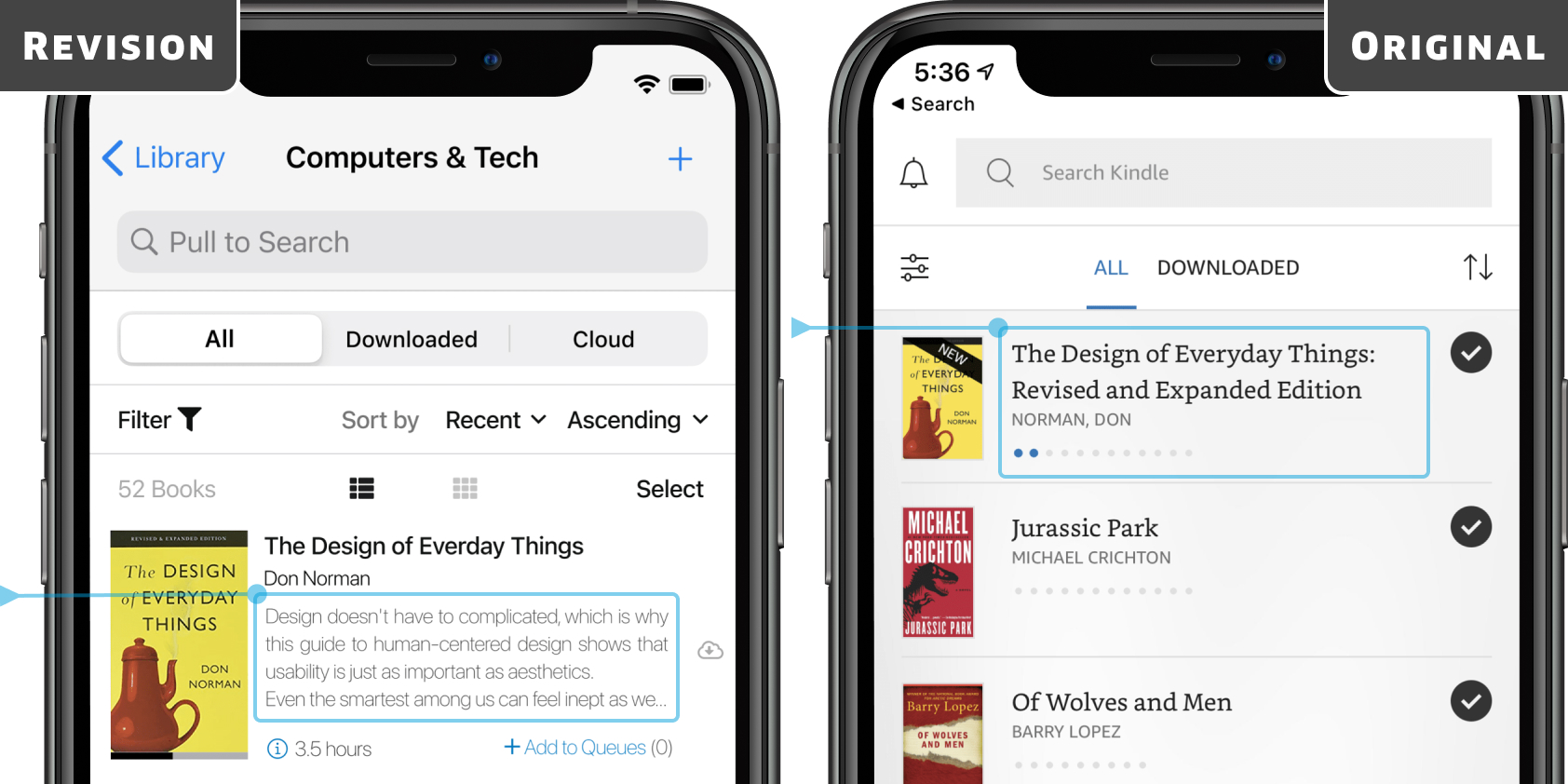
Book Blurb Added
A description helps remind users what the book is about.
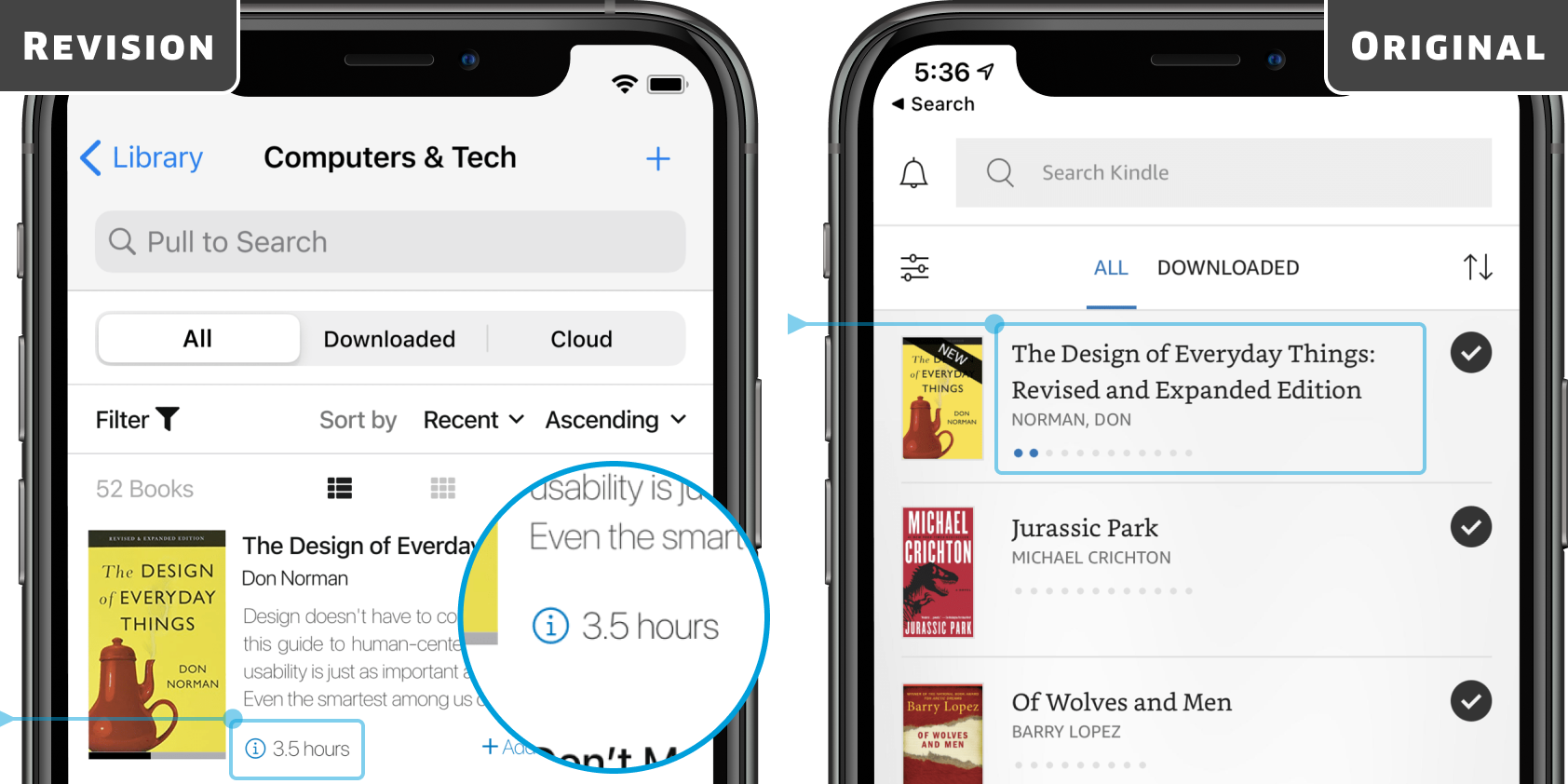
Time-to-Read Added
Time-to-Read is calculated based on each user's past reading speed.
Problem 2: Reading 2+ Books in Parallel
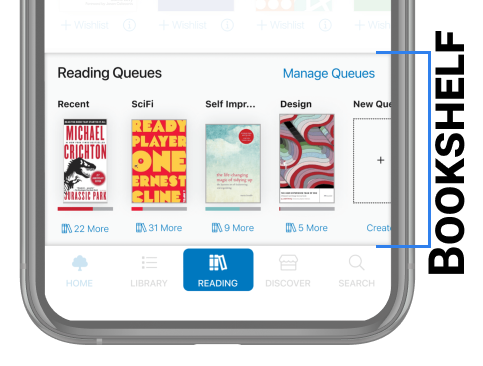
Improves flow for users reading multiple books in parallel through the introduction of a new concept: the Bookshelf, which replaces the Kindle's current single active book.
Users are able to switch between active books and plan their next reads in the Bookshelf by creating queues — ordered lists of books around any theme or topic the user wants.
The existing recently read/opened collection on the home screen becomes a smart queue always shown first in the Bookshelf; this smart collection contains books not added to a queue manually.
Problem 3: Downloading Large Libraries
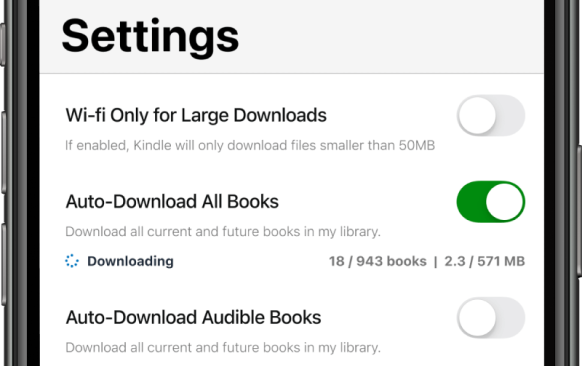
Readers want access to all of their books in offline areas such as airplanes. The existing app offers the option to auto-download only audio books. This can be solved by adding an additional control to automatically download all ebooks.
Final Prototype
Takeaways
- Academic papers are a great source of knowledge — including learning about potential problem areas — when exploring new industries for design projects.
- Figma is a superior tool compared to Sketch for prototyping, collaboration, and developer inspection, making it my preferred design tool going forward.
Next Steps
The next step in this project would be usability testing on the high-fidelity prototype.
In the ideation phase, many additional solutions to user needs were generated beyond the 3 main areas focused on here. The ones chosen were low complexity and high value — solutions that could be implemented quickly with significant UX improvement. There is a lot of untapped potential in the Kindle app worth exploring further.